
 Join our Discord
DF Crafting
Create, place and manage every workbench and recipe live, in-game — no config editing, no restarts.
DF Crafting replaces static, config-based crafting scripts with a fully database-driven system you control entirely in-game. Place a bench with a live ghost preview, build its recipes with item autocomplete, and it goes live for every player instantly. Orders run in a shared queue per bench — start a batch, walk away and come back later. Production keeps running while you are gone, even across a server restart.
⭐ Highlights
- Database-backed — every bench, recipe and order lives in MySQL and persists across restarts.
- 100% in-game management — a sleek
/craftingadminpanel to create, edit, move and delete benches and recipes on the fly. - Queue that keeps running — orders finish while you are away, logged out or after a server restart.
- Shared benches — several players can queue at the same bench and see each other's progress live.
- Player-placed benches — hand out a workbench item players can place, use and pack up again.
- Framework agnostic — auto-detects ESX, QBCore & QBox and the major inventory systems.
🛠️ In-Game Admin Panel
- Everything is managed in the
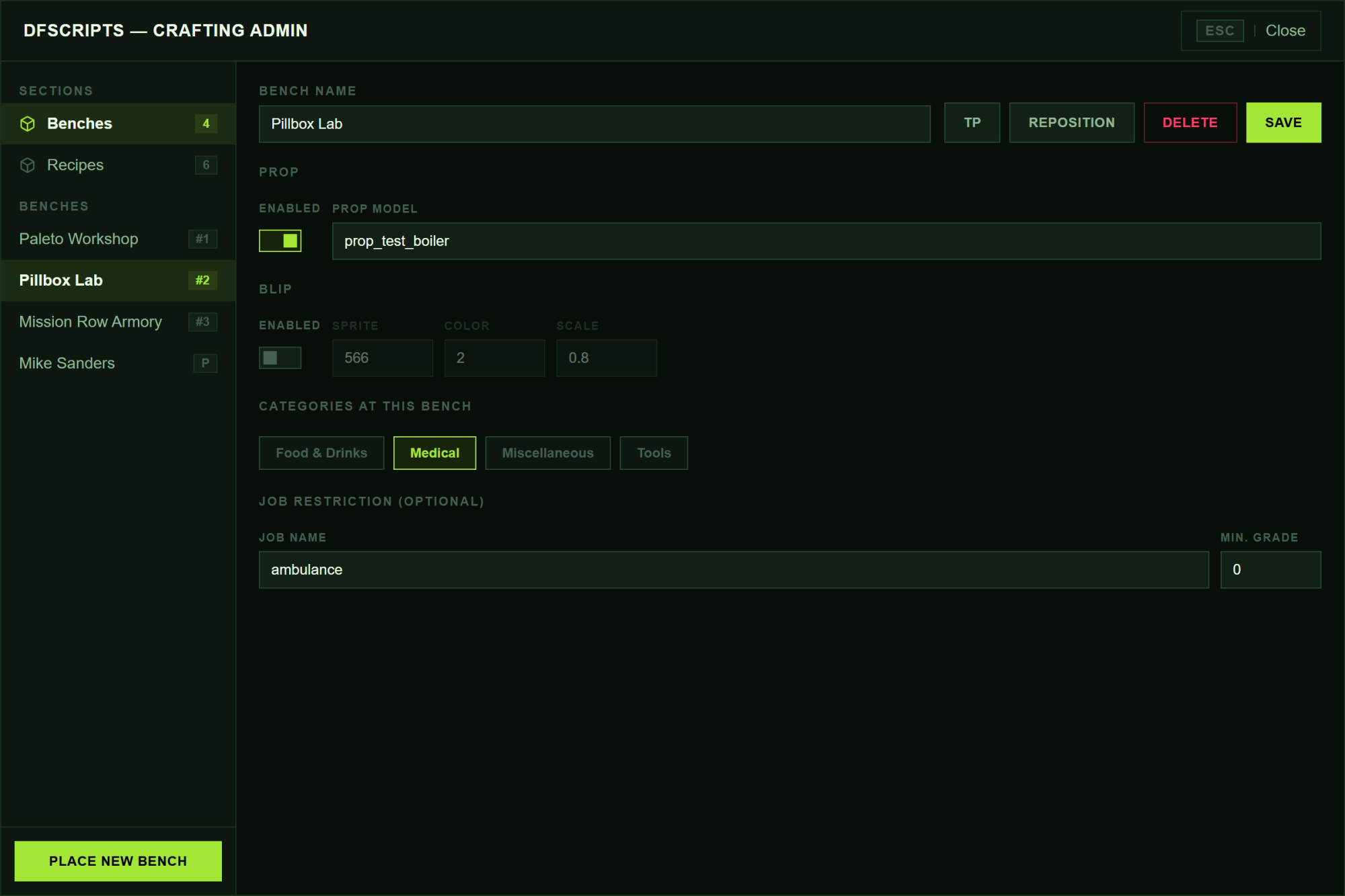
/craftingadminpanel — the config only holds base settings. - Create unlimited benches and place them anywhere on the map.
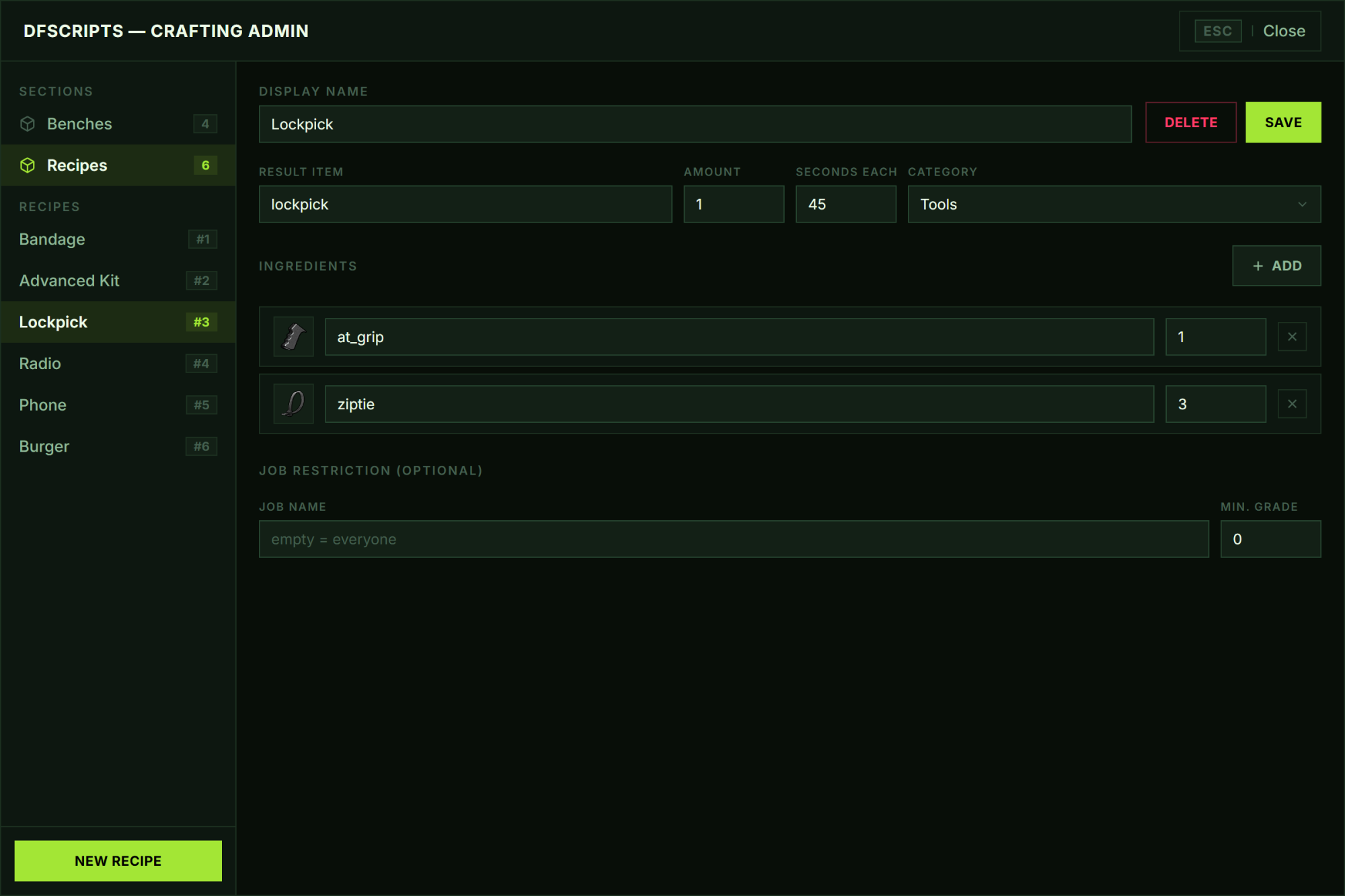
- Build recipes with item autocomplete — result item, output amount, craft time and ingredient list.
- Per-bench prop (enable/disable + any model) and blip (sprite, color, scale).
- Decide per bench which categories it offers — a medical lab and an armory can share the same recipe pool.
- Optional job restriction with a minimum grade — per bench and per recipe.
- TP straight to any bench, reposition it, or delete it in seconds.
- Live sync — every change appears for all players instantly, no restart.
🎯 Ghost Placement
- A translucent preview prop follows your camera when you place or move a bench — no coordinates to copy.
- Aim to position · Scroll to rotate · Enter to place · Backspace to cancel.
- An on-screen control bar guides you the whole way.
- The bench lands exactly where — and facing exactly how — you want it.
⏱️ The Queue
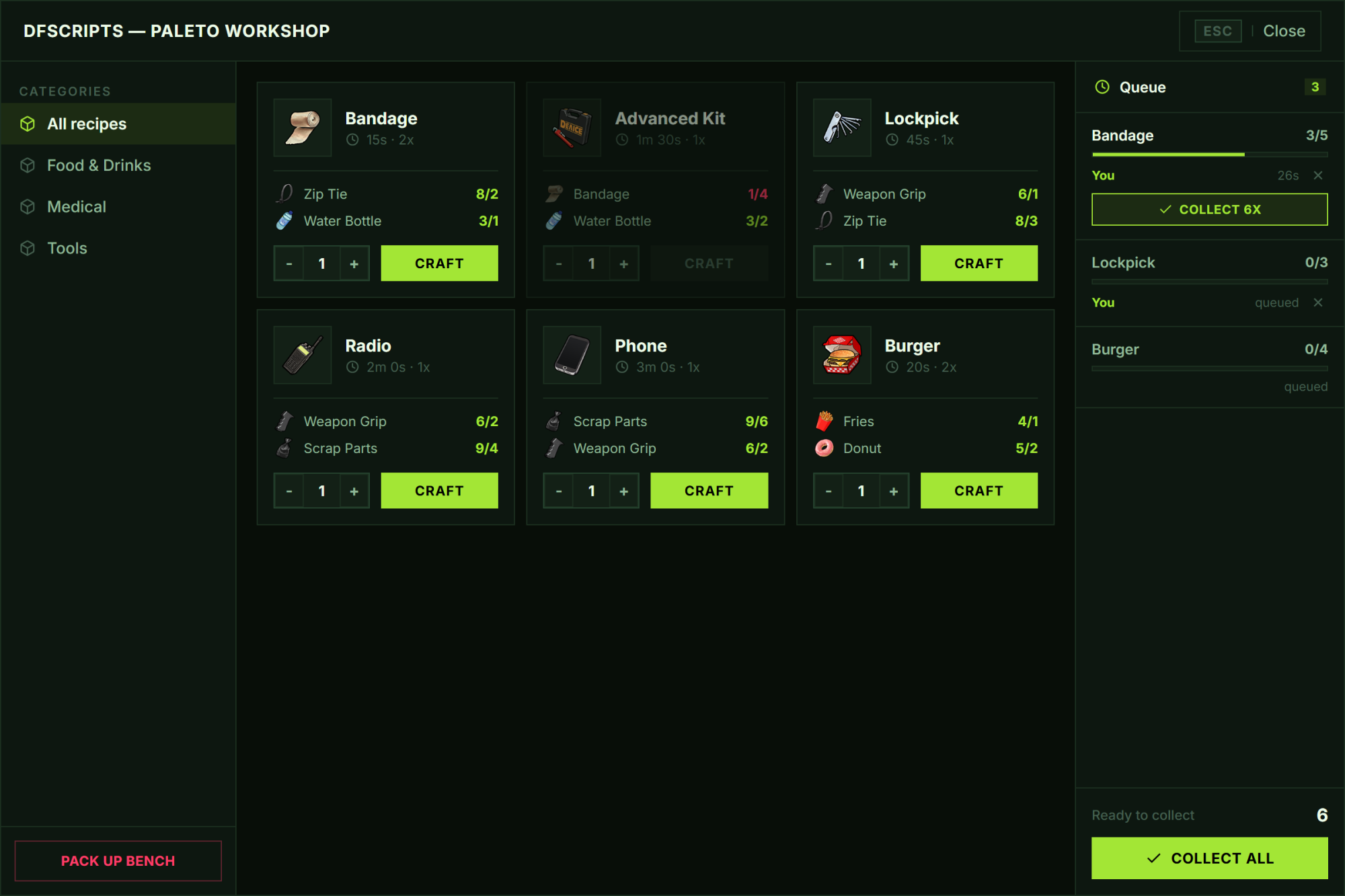
- Queue up to a configurable number of orders per bench — they run one after another, not all at once.
- Ingredients are taken up front, so nobody can queue what they cannot pay for.
- Finished pieces can be collected individually or all at once, mid-run.
- Cancel your own order at any time — the waiting ones move up automatically.
- Built entirely on timestamps: no timers, no loops, no idle server load.
- Everyone at the bench sees the same queue, with live progress and remaining time.
🧰 Player Experience
- Clean NUI with categories, real item images and ingredient counts.
- Recipes you cannot afford are greyed out, with the missing material highlighted in red.
- Pick a quantity, hit craft, walk away — the bench does the rest.
- Place your own bench from an inventory item and pack it up again whenever you like.
- Benches you have no access to stay silent — no interaction prompt at all.
⚙️ Compatibility & Dependencies
- Required:
ox_lib,oxmysql. - Frameworks: ESX Legacy, QBCore, Qbox & Standalone (auto-detected).
- Inventories:
ox_inventory,qb-inventory,tgiann-inventory,jaksam_inventoryand the framework default. - Performance: Lightweight & optimized — benches stream in as
ox_libpoints, props only spawn nearby.
🌍 Localization & Logging
- Includes English & German localization.
- Additional languages can be added with a single JSON file.
- Built-in Discord logging for administrative actions.
📦 Good to Know
- Small, readable
config.lua— base settings only, everything else is managed in-game. - Tables are created automatically on first start — no SQL file to import.
- Open integration files for inventory, notifications and item images — adapt them to your own systems.
- No dependency lock-in — freely switch frameworks or integrations.
- Protected via CFX Asset Escrow.
💬 Support
- Discord: Join our Discord